
Data updated 19 Oct 2026, 22:37 · printed from ProtoPulse
📖 User manual
1 What ProtoPulse is
ProtoPulse follows the therapeutic protocols published by the Romanian National Health Insurance House (CNAS) and shows you, in one place:
- which protocols are in force and which have been repealed or dropped from the list;
- what changed with each Ministry of Health / CNAS order: new, amended and repealed protocols, replaced codes;
- which medicines enter and leave each protocol;
- which protocols include a medicine, searched by active substance (INN) or by brand name;
- the text of each protocol, with the changes highlighted word by word against the previous version.
The application runs in any browser (computer, tablet, phone), with nothing to install. The data is updated regularly from the CNAS documents and the ANMDM medicines register; the date of the last update is shown in the side bar.
2 Interface, language and manual
On the left is the navigation bar, with the pages of the application: Dashboard, What's new, Medicine → protocols, Protocols, Excel / PDF reports, Sources and updates and User manual. At the bottom you see the date of the last update and the Dacovire logo. On a phone, the bar appears above the page.
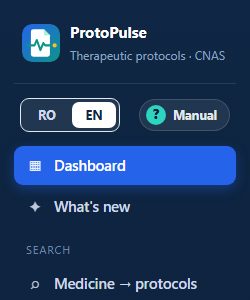
Romanian / English, with a single click
- Click EN (or RO) at the top of the side bar.
- The same page opens in the other language, with your filters and search kept.
- Your choice is remembered: next time the application opens directly in that language.
Every text of the application is translated: menus, buttons, filters, statuses, types of change, month names, the ready-made Excel / PDF reports and the browser exports. Protocol names and texts stay in Romanian, exactly as published by CNAS; medicine names remain the official ones.
The manual
The ? Manual button in the side bar (and 📖 User manual on the Dashboard) opens this manual, in the interface language. The Print / save as PDF button prints it or saves it as a PDF.
3 Dashboard
The start page: the overall picture and the latest changes.
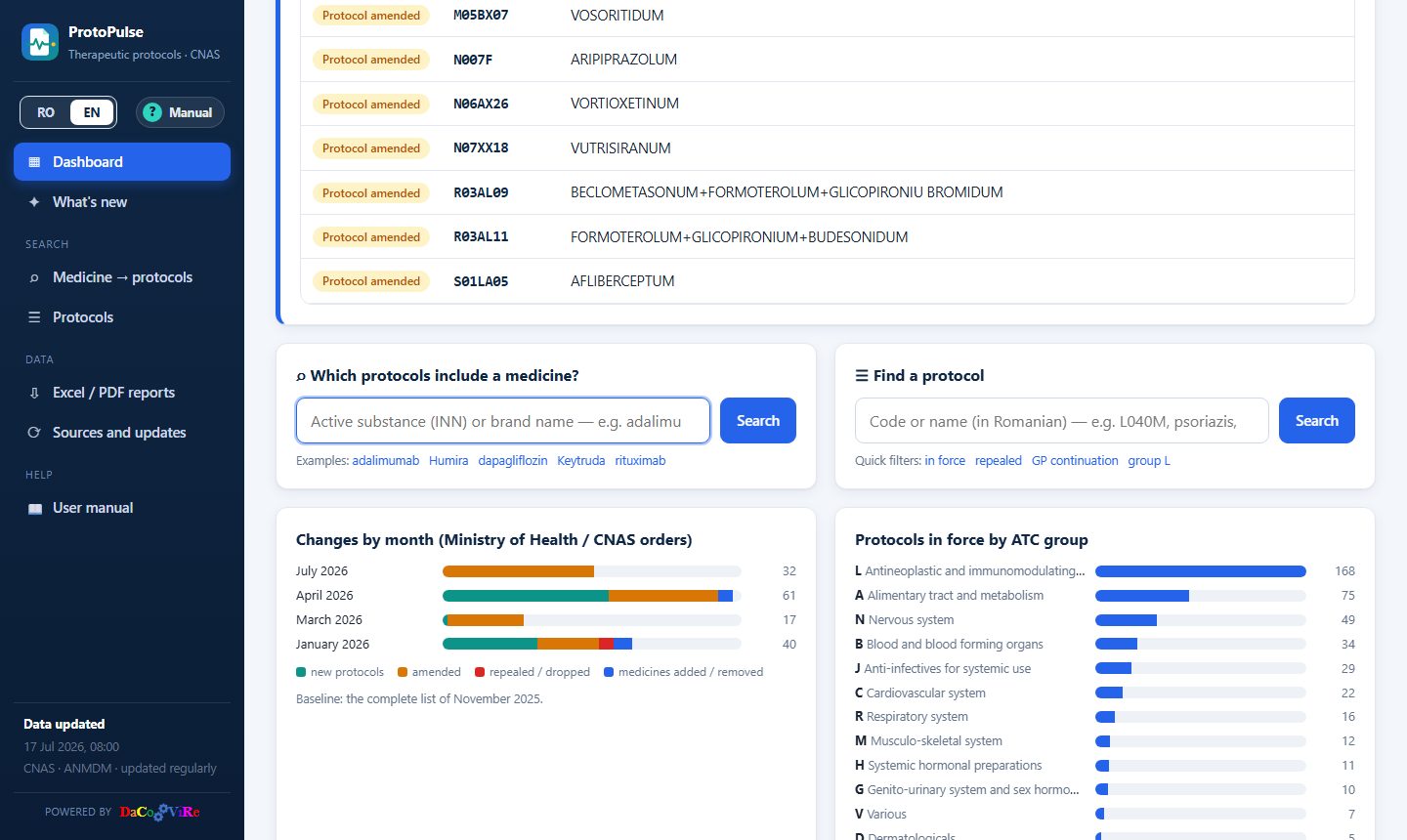
- Indicators: protocols in force (and how many were repealed / dropped), medicines (INN) in protocols, brand products covered and the month of the latest CNAS change.
- What's new in the update of …: what the latest new CNAS document brought – each change on its own row, with its type in colour. If nothing new appeared at the last check, the card tells you when the latest changes arrived.
- Quick searches: “Which protocols include a medicine?” and “Find a protocol” (by code or name), plus examples and quick filters.
- Changes by month: how many new, amended and repealed protocols and how many medicines added / removed each order brought. Click a month → the changes of that month.
- Protocols in force by ATC group: click a group → the list of its protocols.
4 What's new
All changes, month by month (one card for each order), most recent first.
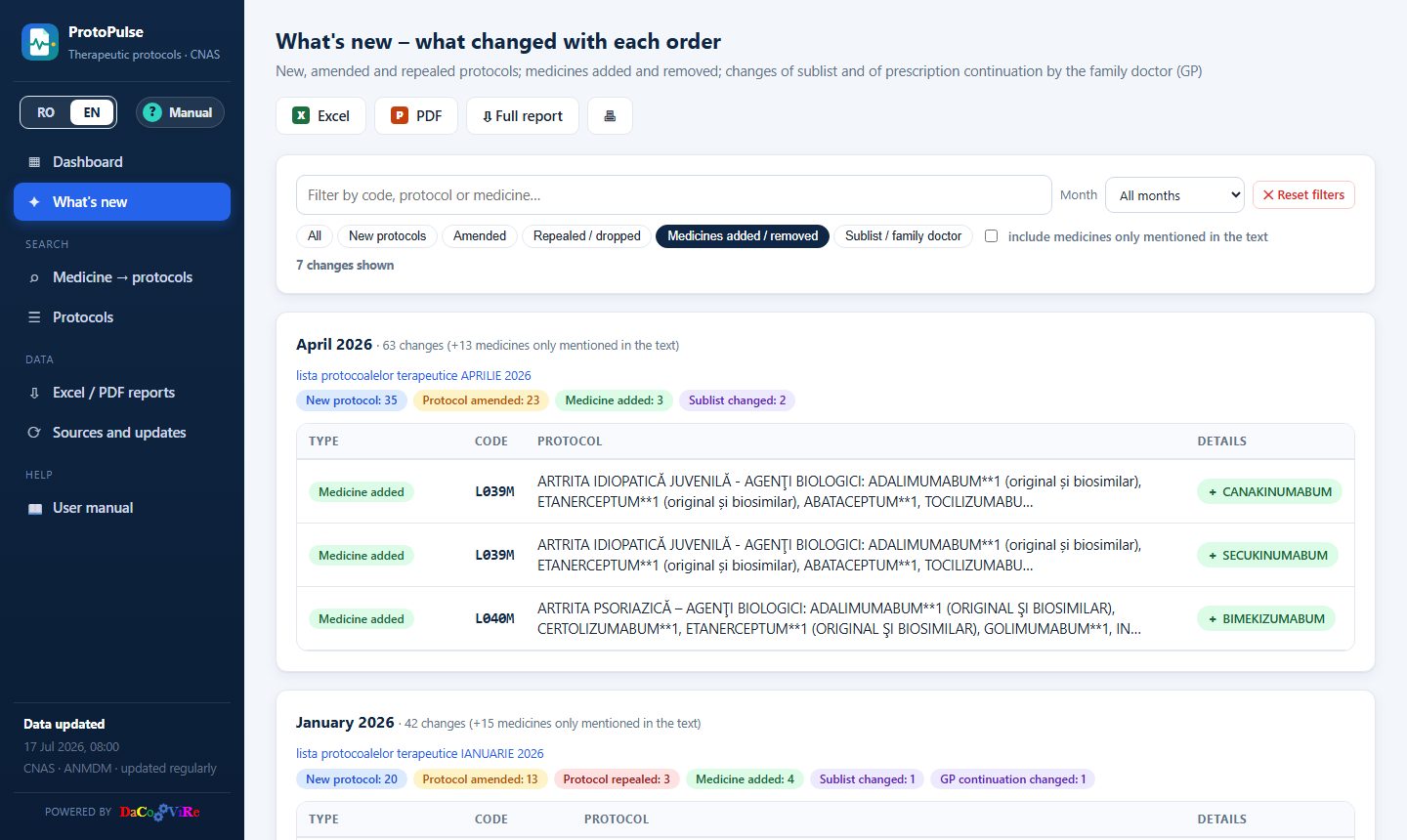
Filters
- Text: code, protocol name or medicine.
- Month: a single order only.
- Type of change: New protocols, Amended, Repealed / dropped, Medicines added / removed, Sublist / family doctor.
- include medicines only mentioned in the text: by default only the medicines of the protocol (in its title) are shown; tick it to also see the substances mentioned in the text (combinations, previous treatments).
Medicines added are shown with + in green, medicines removed with − in red; click a medicine → its sheet. Click a code → the protocol sheet. The page address keeps the filters, so you can send it to a colleague exactly as you see it.
5 Medicine → protocols
Answers the question “which protocols include this medicine?”.
- Type at least 3 letters of the active substance (e.g. adalimumab) or of the brand name (e.g. Humira). Accents and capital letters do not matter.
- Results appear instantly: for each substance, its ATC code, the number of products authorised in Romania and its protocols, each with its status (in force / repealed).
- If you searched a brand name, the substance shows “via the brand name: …”.
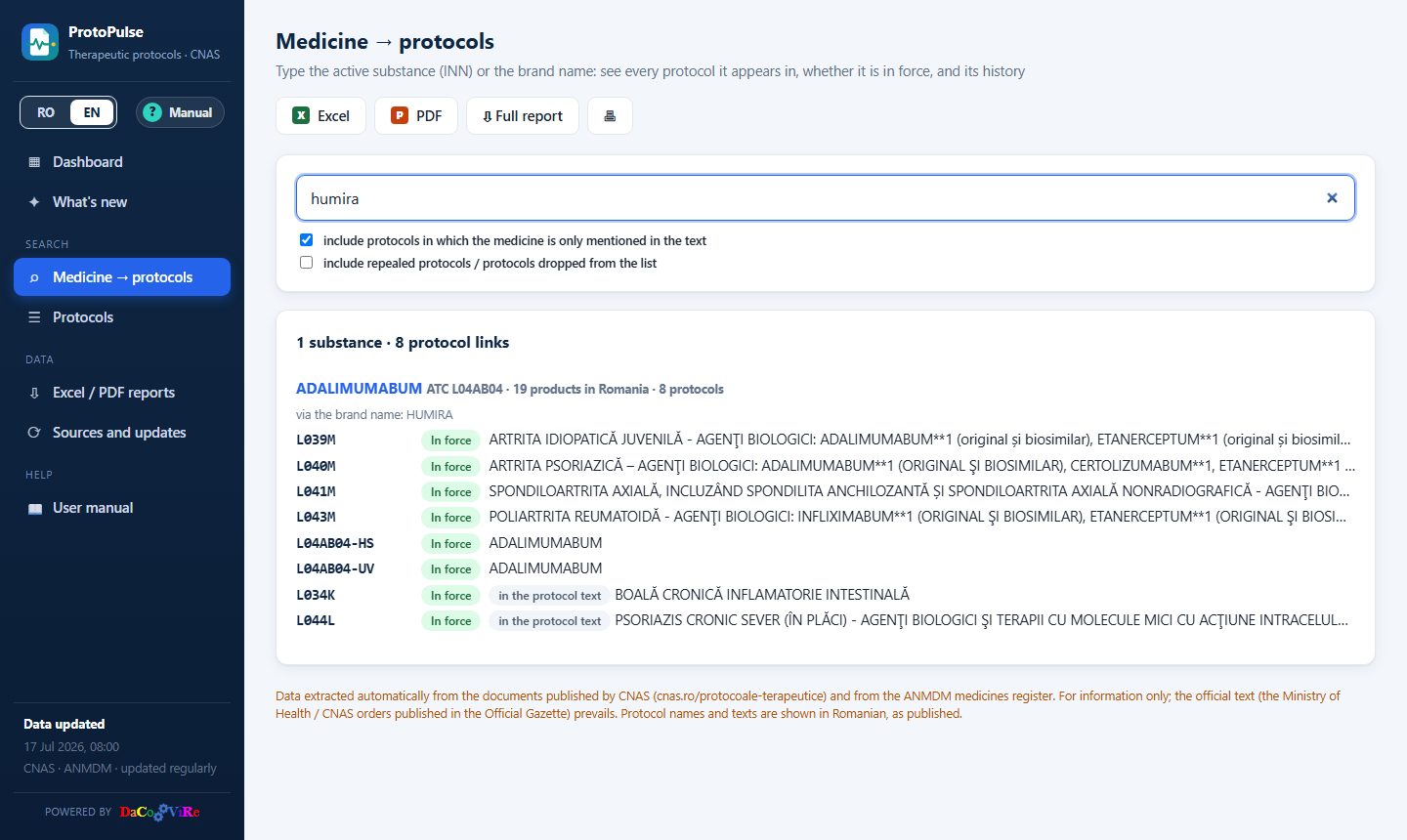
Options: include protocols in which the medicine is only mentioned in the text (ticked by default; these protocols carry the label “in the protocol text”) and include repealed protocols / protocols dropped from the list.
6 The list of protocols
Every known protocol, in a table with filters and sorting.
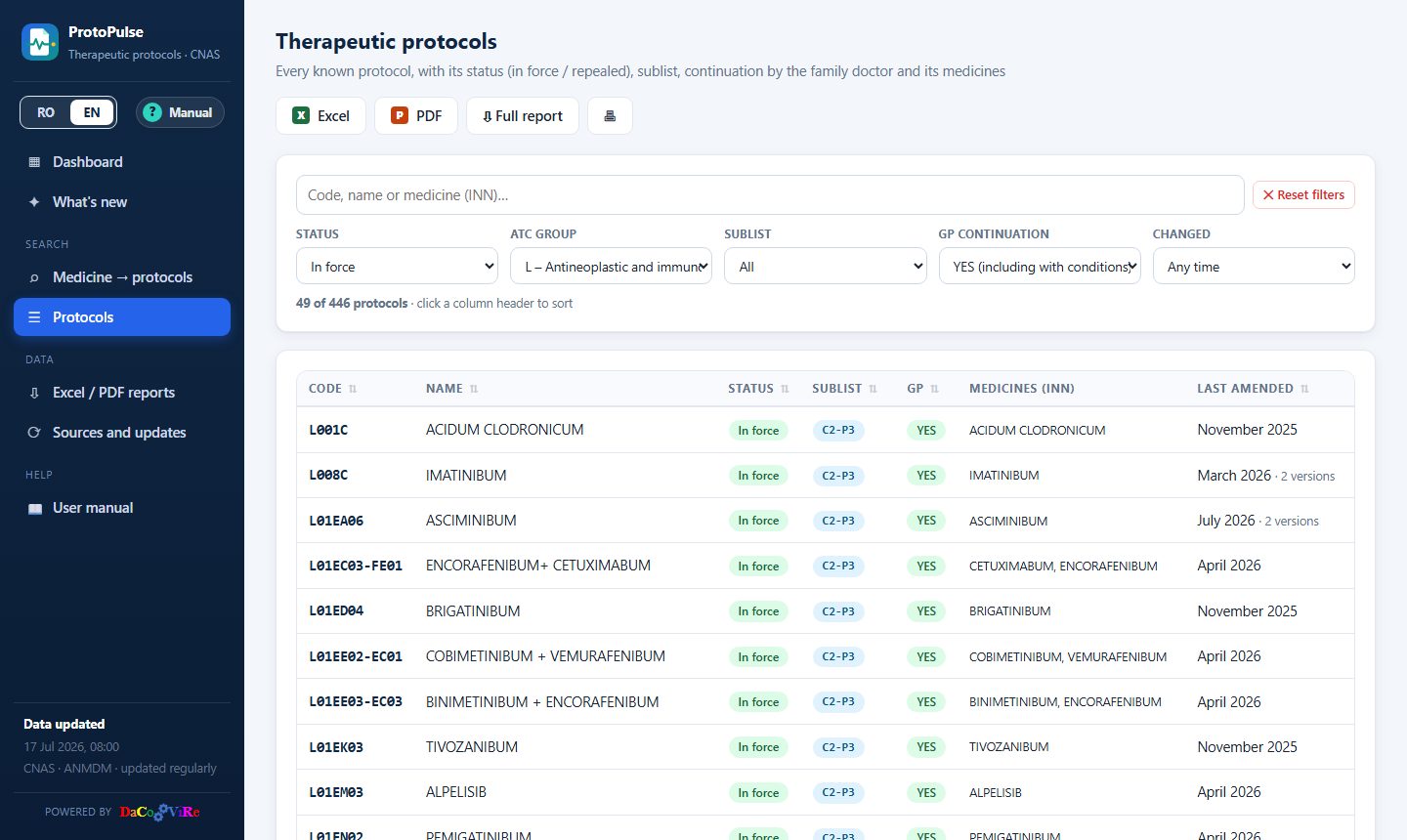
- Search by code, name or medicine (INN). Protocol names are in Romanian (e.g. psoriazis, diabet).
- Status (in force, repealed, dropped from list, replaced), ATC group, Sublist (A, B, C1, C2, C3, D), GP continuation (YES, YES with conditions, NO) and Changed (amended / introduced after the baseline list, or in a given month).
- Sorting: click a column header (code, name, status, sublist, GP, last amended); a second click reverses the order.
- Below the filters you see how many protocols match. ✕ Reset filters clears them all.
7 The protocol sheet
Opens when you click the code or the name of a protocol.
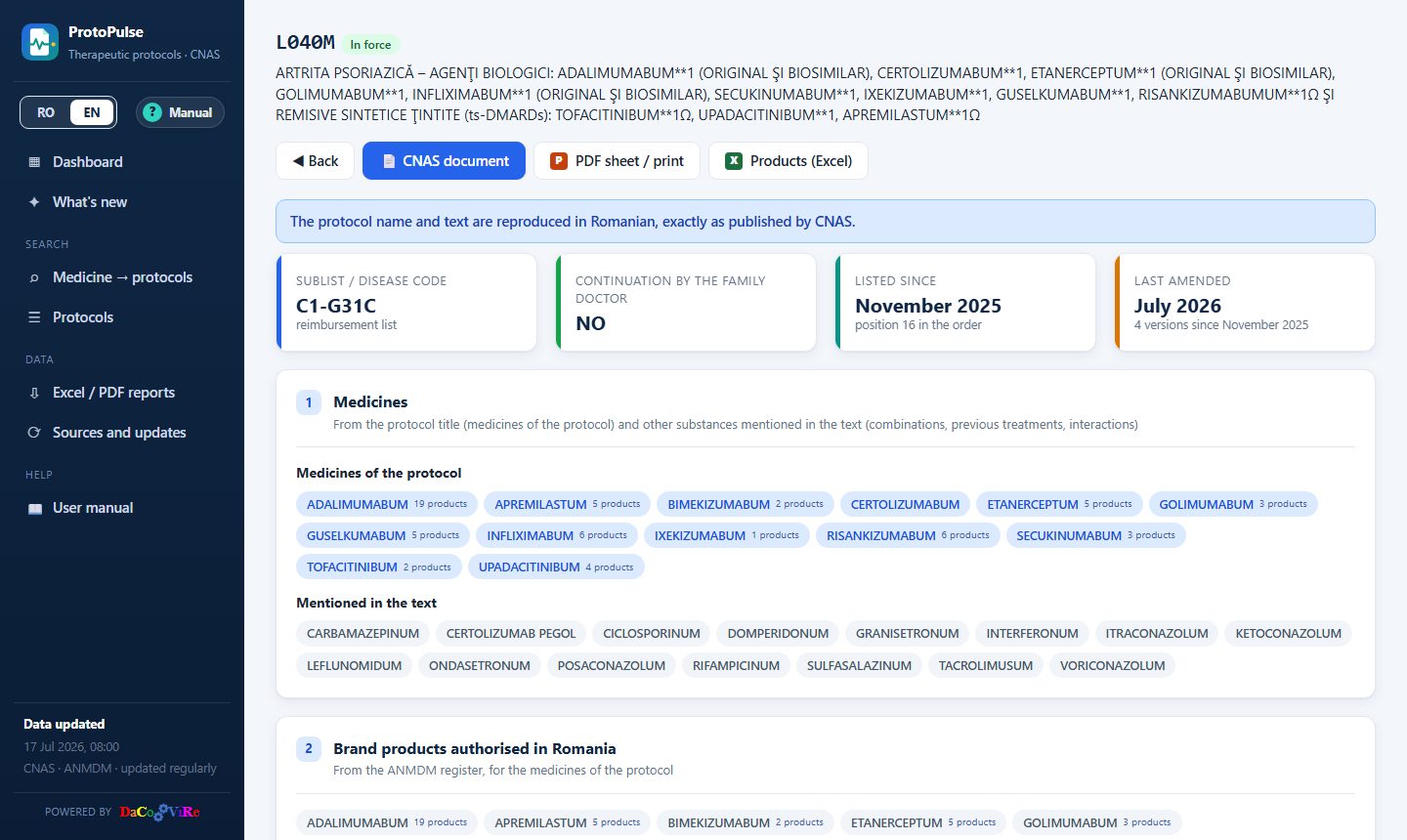
- Header: the code, the status (with the month, if repealed), the name; the buttons 📄 CNAS document (the official PDF), PDF sheet / print and Products (Excel).
- Indicators: the sublist / disease code, whether the family doctor can continue the prescription (with conditions, if any), the month it was first listed and its last amendment.
- Medicines: the medicines of the protocol (from its title) and those mentioned in the text; click → the medicine sheet.
- Brand products authorised in Romania: for each substance, the products in the ANMDM register (name, form, strength, holder, ATC, prescription type).
History and changed text
Every version of the protocol, newest first: the month, the type of change, the CNAS document, the medicines added (+) / removed (−) and the changes of sublist / GP continuation. Open What changed in the text compared with … to see the text differences: added text in green, deleted text struck through in red, unchanged paragraphs collapsed.
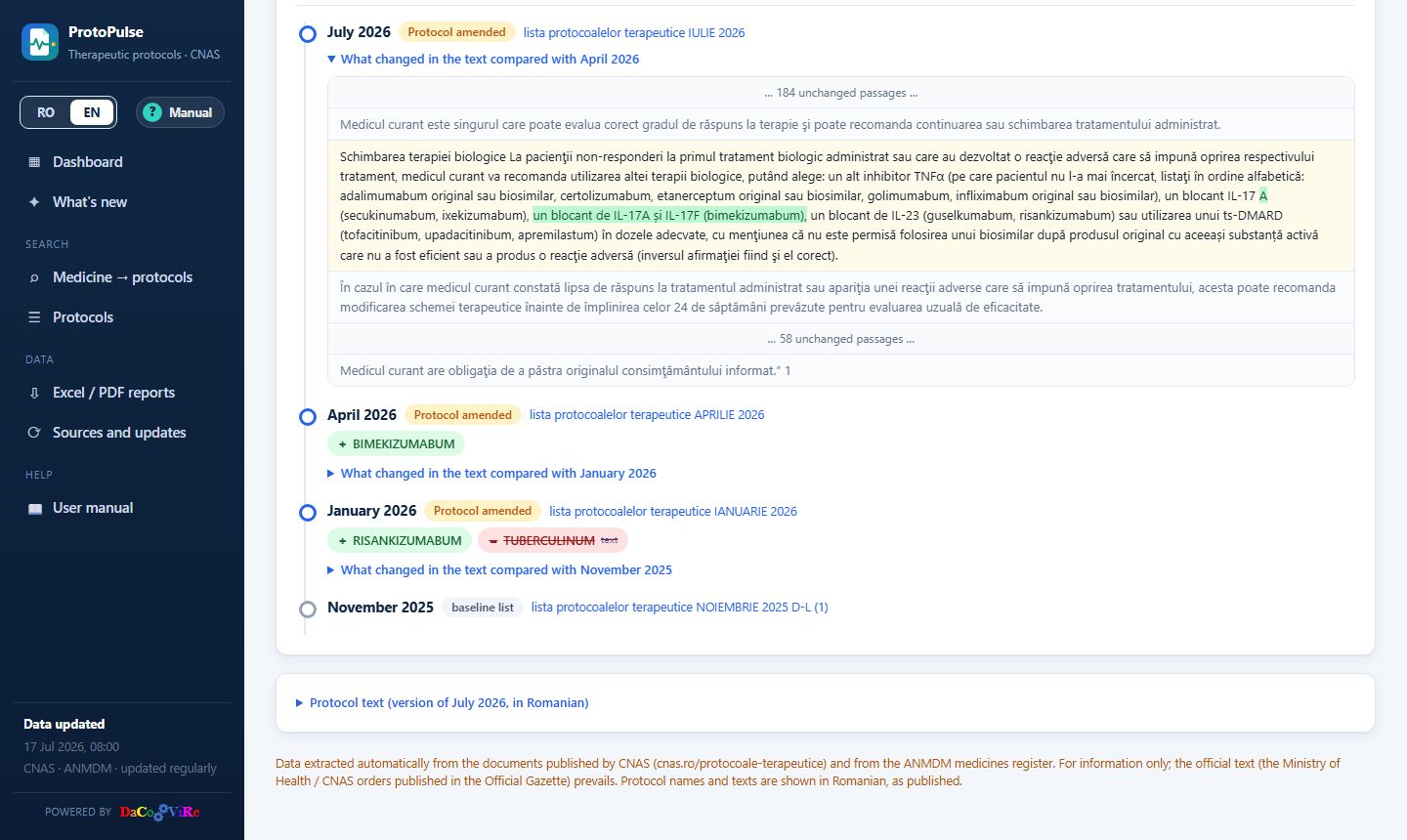
At the end, Protocol text shows the full text of the latest version (in Romanian).
8 The medicine sheet
Opens when you click the name of a substance (in the results, in a protocol sheet or in What's new).
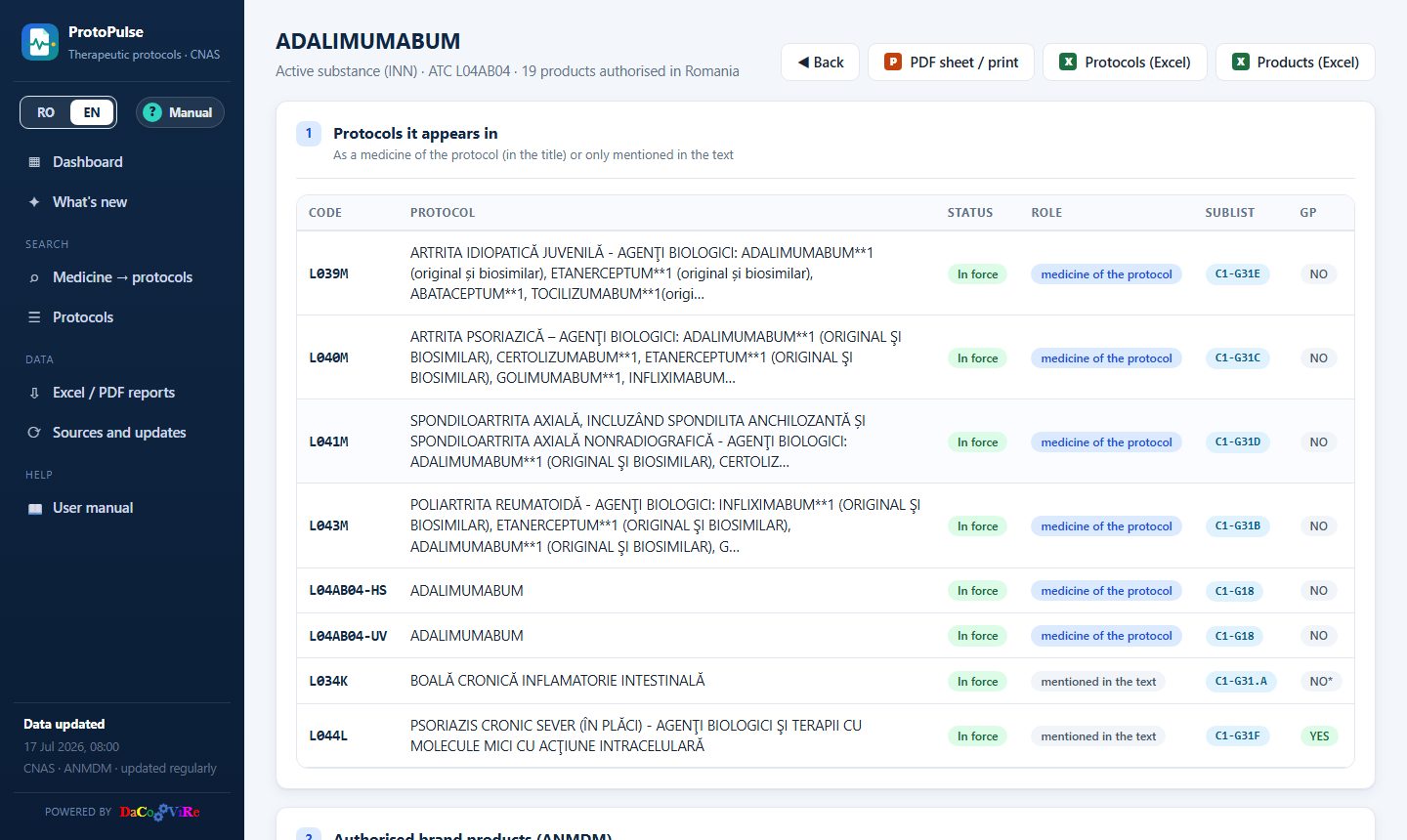
- Protocols it appears in, with the status of each and the role of the medicine: medicine of the protocol (in the title) or mentioned in the text.
- History: when it entered or left each protocol.
- Authorised brand products (ANMDM), with Excel export.
9 Exports and reports
Your own selection
On the Protocols, What's new and Medicine → protocols pages, the X Excel and P PDF buttons export exactly the rows shown (after filtering and sorting), with the filters listed in the document header. The Excel file has every column, with filters in the header row; the PDF (A4 landscape) keeps the main columns. Exports use the interface language. The export libraries load on the first click – an internet connection is needed.
Sheets
PDF sheet / print prints the protocol or medicine sheet, formatted for A4; choose “Save as PDF” in the print window to get a PDF file.
Ready-made reports
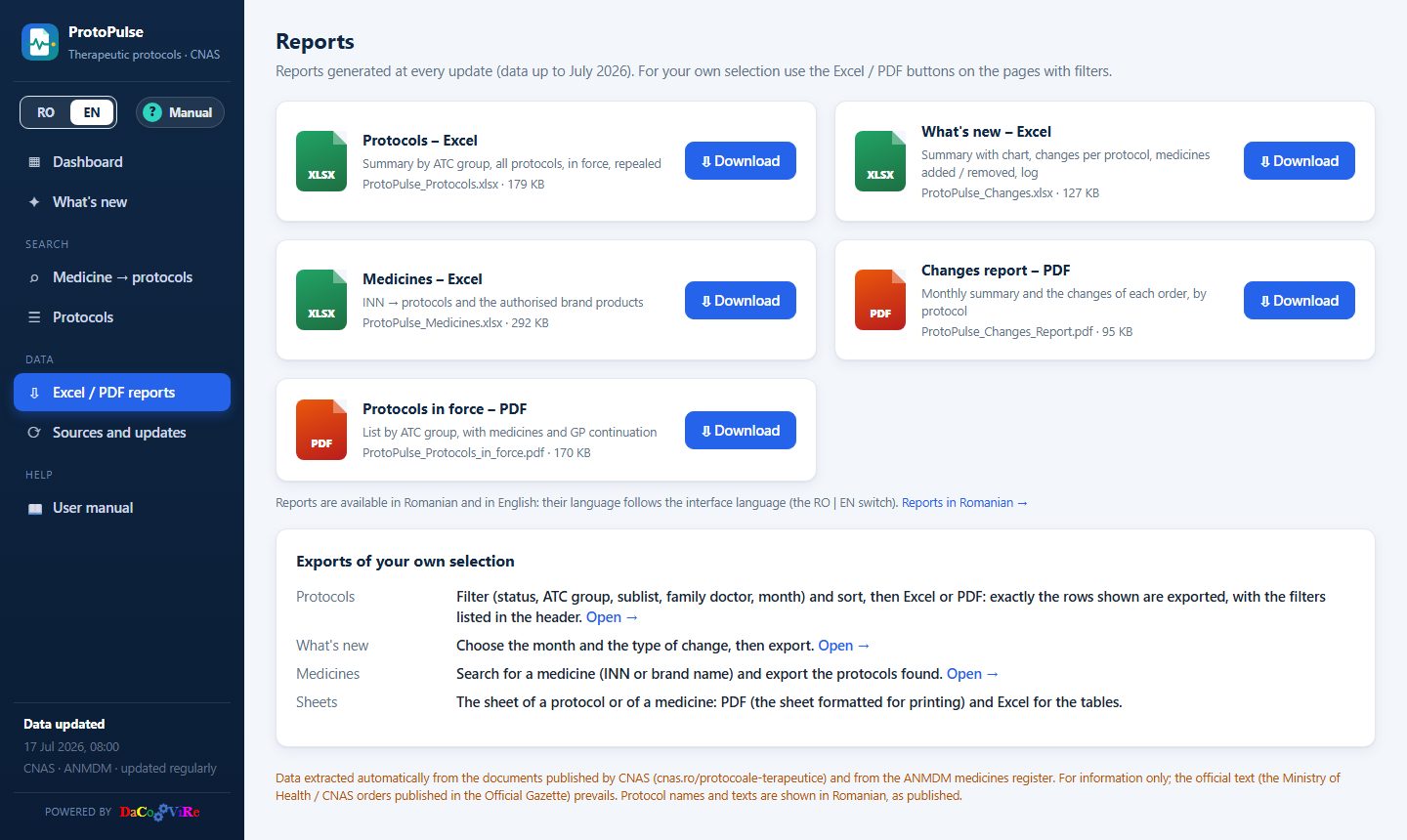
- Protocols – Excel: summary by ATC group, all protocols, in force, repealed.
- What's new – Excel: summary with chart, changes per protocol, medicines added / removed, full log.
- Medicines – Excel: INN → protocols and the authorised brand products.
- Changes report – PDF and Protocols in force – PDF: presentation reports.
Reports exist in Romanian and in English; the Reports page shows those in the interface language.
10 Sources and updates
The Sources and updates page shows where the data comes from and how it was updated:
- Protocols: cnas.ro/protocoale-terapeutice – one list per month. The most recent complete list is the baseline; later lists contain only the protocols amended, introduced or repealed by that month's order.
- Medicines: the ANMDM register – the medicines authorised in Romania.
- Log of updates: every update, the new documents and any errors.
- CNAS documents read, with the number of rows and of protocols recognised in each.
11 Glossary
- Therapeutic protocol
- The CNAS criteria for prescribing and reimbursing certain medicines (indications, inclusion / exclusion criteria, monitoring), identified by a code (e.g. L040M).
- INN (DCI)
- International Nonproprietary Name – the active substance (e.g. adalimumab), whatever the manufacturer. In Romanian: DCI.
- Brand name
- The product name (e.g. Humira); one INN can have many products.
- ATC
- The Anatomical Therapeutic Chemical classification; the first letter is the group (e.g. L = antineoplastic and immunomodulating agents).
- Sublist
- The reimbursement sublist in the CNAS list (A, B, C1 – chronic diseases with a G code, C2 – national health programmes with a P code, C3, D).
- GP continuation
- Whether the family doctor (GP) can continue the prescription: YES, NO, or YES with conditions (YES*). In Romanian: continuare MF.
- Medicine of the protocol
- A substance in the protocol title – the subject of the protocol.
- Mentioned in the text
- A substance mentioned only in the text (combinations, previous treatments, interactions).
- Repealed
- Taken out of force by an order (the “remarks” column of the CNAS list).
- Dropped from list
- No longer present in a complete list, without a repeal note.
- Code replaced
- The protocol continues under a new code.
- Baseline
- The complete list from which the history starts; changes are computed against it.
12 Frequently asked questions
How often is the data updated?
Regularly, usually a few times a week; CNAS publishes new orders every few weeks. The date of the last update is at the bottom of the side bar.
Why can't I find a medicine?
Check the spelling or try the active substance. Only medicines found in at least one protocol are listed; a medicine authorised only centrally in the EU may have no products in the ANMDM register.
Why does a protocol have no “medicines of the protocol”?
Condition-based protocols (e.g. “Boală cronică inflamatorie intestinală” – chronic inflammatory bowel disease) have no medicine in their title; only those mentioned in the text are shown.
The Excel / PDF export does not start.
Browser exports need an internet connection the first time. The ready-made reports (Reports page) work without it.
Can I use the application on a phone?
Yes – pages adapt to the screen. You can add the site to your home screen from the browser menu.
In English, why is the protocol text in Romanian?
Protocols are official documents published by CNAS in Romanian only; the application does not translate them, so that there is never a difference from the official text.
13 Installation and administration
Users need no installation: the application opens in the browser. For the administrator:
- Update: double-click
run.bat– it prepares Python on the first run, reads CNAS and ANMDM, sends the new data to GitHub and opens the application locally. - Publishing: GitHub rebuilds and publishes the site (GitHub Pages) as soon as it receives the new data, within 1–2 minutes.
- Useful commands:
python actualizare.py --offline(rebuild the site without network access),python actualizare.py --istoric-de-la 2024-01(longer history).
The technical details are in the project README file.
14 Contact
ProtoPulse is designed and developed by Dacovire – custom software, built around the way your business works.
- Phone / WhatsApp
- +40 770 864 152
- office@dacovire.ro
- Web
- www.dacovire.ro